
What Makes an iPad POS System Truly “Best” 7 Must-Have Features
How The Best iPad POS Systems Solve Today’s Retail Challenges
Minor daily frustrations pushed this topic to the front long before we wrote a single sentence, and that feeling shaped the way this introduction needed to sound.
Every store has moments when the line grows faster than expected, prices need fixing right away, or a customer asks for a return while two more people walk in.
Those moments do not wait for slow screens or confusing menus, and that reality is what led us to explore the best iPad POS systems with a sharper, more practical lens. Instead of starting with features, we wanted to start with the pressure points that make strong systems necessary.
From this point on, we speak as a team because this is how we work through these problems together. We look at each tool by asking how it handles real store tension.

Does it speed up checkout when the rush hits? Does it help new staff learn without fear of mistakes? Does it keep inventory aligned without hours of counting?
These questions shaped everything we wrote, because the value of an iPad POS becomes clear only when it handles the moments that actually matter.
This introduction sets the purpose of the complete guide. You will learn why speed, accuracy, and simple navigation have more influence on sales than most people think. You will see how strong POS systems support customer trust, reduce training time, and cut down on errors that cost money.
We also explain what features deserve your attention first and how they change the flow of your store from open to close.
Each upcoming section breaks down a core feature in a way that is simple to follow, easy to test, and grounded in store reality rather than vague promises.
Our goal in this introduction is to give you clarity before the details. Instead of jumping straight into lists, we want you to understand the pressure that drives the need for better checkout tools.
Once that foundation is clear, the rest of the guide becomes easier to absorb and far more helpful. As you read forward, you will see how each feature connects to tangible outcomes that support your store every single day.
How Easy Checkout Flow Shapes a Strong POS System
A smooth checkout is the first sign of a strong iPad POS system. A fast, simple flow reduces stress for your staff and improves the shopping experience for customers. This feature matters because every second at the counter affects the line, the mood, and the overall pace of the store.
A system should let you tap through screens quickly, change items easily, and handle returns without searching for hidden settings. Speed is more than a comfort. It keeps customers happy and reduces mistakes.
When the checkout flow is simple, staff learn the system faster. This lowers training time and cuts down on errors. Every store has busy periods, and these moments show whether your POS supports real speed.
Look for clear icons, readable buttons, and quick access to commonly used options. The system should help staff move through tasks with confidence. Shorter steps lead to smoother service. Even minor improvements in checkout speed can raise sales during peak hours.
A good checkout flow also helps new staff adjust quickly. This matters when you hire seasonal help or temporary workers. When screens are simple, people learn faster. That means less time spent explaining and more time serving customers.
Transparent screens also help reduce mistakes in pricing and product selection. Mistakes cost money and slow down the line.
Another benefit of a strong checkout flow is consistency. When every staff member follows the same steps, you get stable results across every shift. This gives better data and fewer surprises in reports.
- Fast tap-based navigation
- Clear buttons for frequent actions
- Simple return and exchange steps
- Low training time
Why Inventory Tracking Must Stay Accurate?
Inventory tracking keeps your store stable. A strong iPad POS system must show real-time stock levels so you always know what you have. This matters because lost items or missing counts can hurt sales. When inventory is tracked well, you avoid overselling or running out unexpectedly.
The system should update counts each time an item sells. Good tracking shows patterns, so you know which items sell fast and which stay on shelves.
Accuracy improves forecasting. When you know what sells, you can plan better orders. This saves money and keeps customers satisfied. Sound systems alert you when the stock drops too low. These alerts help you act before items run out.
Accurate tracking also reduces shrinkage by making it easier to spot missing items. When counts match sales, you know your store is running smoothly.
Another reason this feature matters is reporting. When tracking is correct, your reports reflect real numbers.
You can study trends and see what items need more focus. You can also test prices and promotions more confidently. Without strong tracking, decisions feel like guessing. Strong inventory tools remove guesswork.
If you run multiple locations, tracking becomes even more valuable. Sound systems show counts across all stores.
This helps you move items when needed and improves customer satisfaction. Inventory is the heart of retail and must be clear.
- Real-time updates
- Low stock alerts
- Accurate multi-location counts
- Clean sales to stock matching
How Customer Profiles Lift Store Performance
Customer profiles help you understand who visits your store. A strong iPad POS system should collect basic details at checkout. These profiles show what customers buy and how often they return. This helps you build loyalty programs and reward frequent shoppers.
Over time, customer profiles become a guide for personal offers. When you know people’s buying habits, you can send useful deals.
Profiles also help you track returns and exchanges. Staff can pull up purchase history quickly. This reduces stress during service issues.
When customers feel understood, they trust your store more. Better trust leads to repeat business. Profiles also help when you launch new products. You can target customers who buy similar items.
This feature also supports email marketing. You can send updates, reminders, and seasonal offers. When messages are relevant, customers respond more often.
Profiles become more potent as your store grows. They help you shape your marketing and make smarter decisions.
Profiles also support staff training. When staff understand customer patterns, they give better service. Firm profiles help you see which customers spend the most and which need more attention. Precise data leads to better planning.
- Track buying habits
- Support loyalty programs
- Improve service speed
- Guide marketing decisions
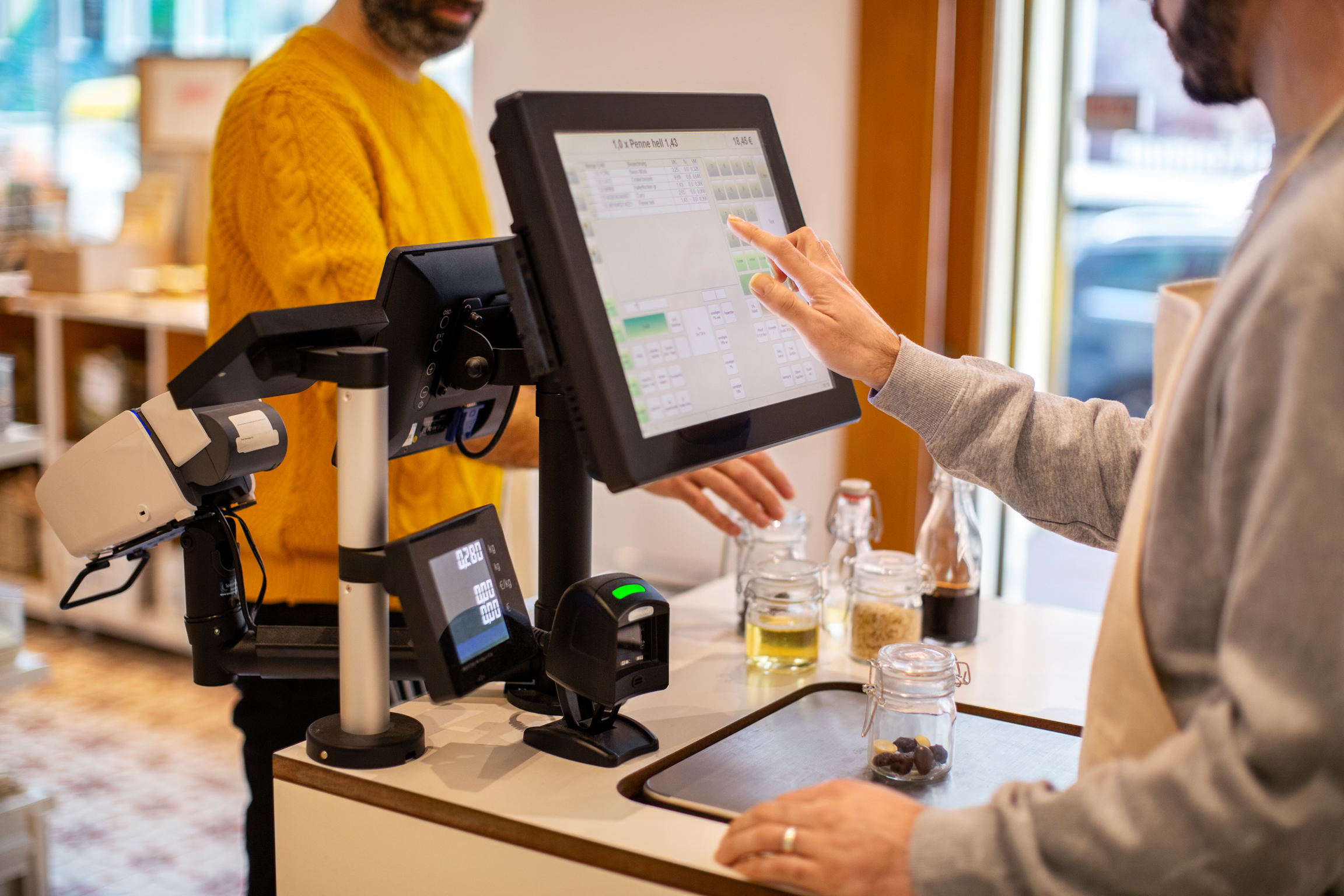
Why Reporting Tools Shape Better Store Decisions?
Reports reveal the truth behind daily sales. A strong iPad POS system must show simple, readable reports.
These reports show top items, weak items, busy hours, and slow hours. Strong reporting helps you plan staff schedules and stock orders. This feature matters because it supports every major decision in the store.
When reports are clear, you spot trends early. You can test new ideas and measure results. Sound systems let you filter data by day, week, or month.
This helps you compare performance easily. Reporting also enables you to track goals. You see whether sales rise or fall and why.
Reports must be easy to understand. If data feels confusing, it slows you down. Your POS should guide you toward clear actions. Reports also help you manage budgets. When you know what sells, you avoid wasting money on slow items.
If you run more than one location, reporting becomes even more critical. You compare performance and move stock where needed. Clear reports reduce guesswork and build confidence.
- Simple charts
- Easy date filters
- Insights by item or category
- Clear daily and weekly breakdowns
How Payment Flexibility Helps Close More Sales
Customers expect simple payment options. A strong iPad POS system must support cards, tap payments, mobile wallets, and gift cards.
This feature matters because flexibility helps close more sales. If customers cannot pay the way they prefer, they may leave without buying. Modern stores must offer multiple payment choices.
Payment flexibility also speeds up checkout. Tap payments and mobile wallets move quickly. This helps during busy hours.
These options also reduce errors. When payments are simple, staff make fewer mistakes. A sound system keeps customer data secure. Security builds trust.
Payment tools should integrate with receipts. You want digital receipts for convenience. Strong systems store receipts for customer service. Payment tracking should also appear in reports. This helps you see how customers pay.
Flexibility also helps during outages. Some systems allow offline payments. This keeps sales moving when the connection drops. Payment flexibility gives customers comfort and gives your staff control.
- Cards and tap payments
- Mobile wallet support
- Gift card handling
- Digital receipts
What Staff Tools Should Be Built into a Strong POS?
Staff tools help you manage work smoothly. A strong POS should track roles, permissions, and hours. This protects sensitive data. Staff can only access what they need. Good staff tools reduce mistakes and keep the system safe. Roles help you control essential settings.
Your POS should track performance, too. You can see who handles more sales or returns. This helps you train staff and support your team. Good tools also let you add notes. Notes help during shift changes. Staff know what happened earlier.
Clock-in and clock-out tools help track time. This makes payroll easier. You want a system that stores time logs. Good staff tools help build trust. When staff understand the system, they work with confidence.
Training tools help new staff learn faster. If screens are simple, training takes less time. Good staff tools reduce stress. They help everyone stay organized.
- Role-based controls
- Time tracking
- Staff performance
- Simple training steps
Final Thoughts and How We Support Your Next Step
This guide shows how each POS feature shapes daily work, customer satisfaction, and long-term growth. A strong iPad POS system supports speed, security, precise data, and flexible payments. When all these tools work together, your store becomes steady, predictable, and ready to grow.
At Sonary, we help people choose tools that fit their goals without confusion. We focus on clear guidance because strong systems make every day work easier. Our goal is to give you direction that leads to real progress.
If you want help choosing the right POS system or building a plan for testing features, reach out today. We can help you compare options and set up your system the right way from the start. Ready to make your store stronger with innovative tools? Contact us now and take the next step.

Jim’s passion for Apple products ignited in 2007 when Steve Jobs introduced the first iPhone. This was a canon event in his life. Noticing a lack of iPad-focused content that is easy to understand even for “tech-noob”, he decided to create Tabletmonkeys in 2011.
Jim continues to share his expertise and passion for tablets, helping his audience as much as he can with his motto “One Swipe at a Time!”